
Table of Contents
ToggleQuick Summary
This Full Stack .NET Developer Roadmap provides a structured learning path from beginner to job-ready developer. It covers web fundamentals, C#, .NET 10, ASP.NET Core, REST APIs, SQL Server, Entity Framework Core, Dapper, Redis, authentication, testing, Clean Architecture, microservices, Docker, Kubernetes, Azure, Terraform, CI/CD, performance optimization, and observability. The guide also includes hands-on project ideas, Microsoft certifications (AZ-900, AZ-204, AZ-305), interview preparation, salary insights, career progression, AI development tools, and learning resources to build production-ready enterprise applications.
Full Stack .NET Developer Roadmap: Complete Learning Guide
Full stack .NET development covers user interfaces, server logic, databases, security, testing, cloud services, and deployment. Therefore, developers need a structured path rather than disconnected tutorials. This guide explains what to learn, why each skill matters, and how every technology fits into modern software development. Furthermore, Techstack Digital recommends following a practical, project-based approach to help beginners avoid unnecessary tools and focus on skills that employers value. You will progress from web fundamentals to C#, ASP.NET Core, frontend frameworks, architecture, DevOps, and cloud computing. Additionally, project ideas, certifications, interview preparation, and career guidance will help you transform technical knowledge into employable skills.
Full Stack .NET Developer Roadmap at a Glance
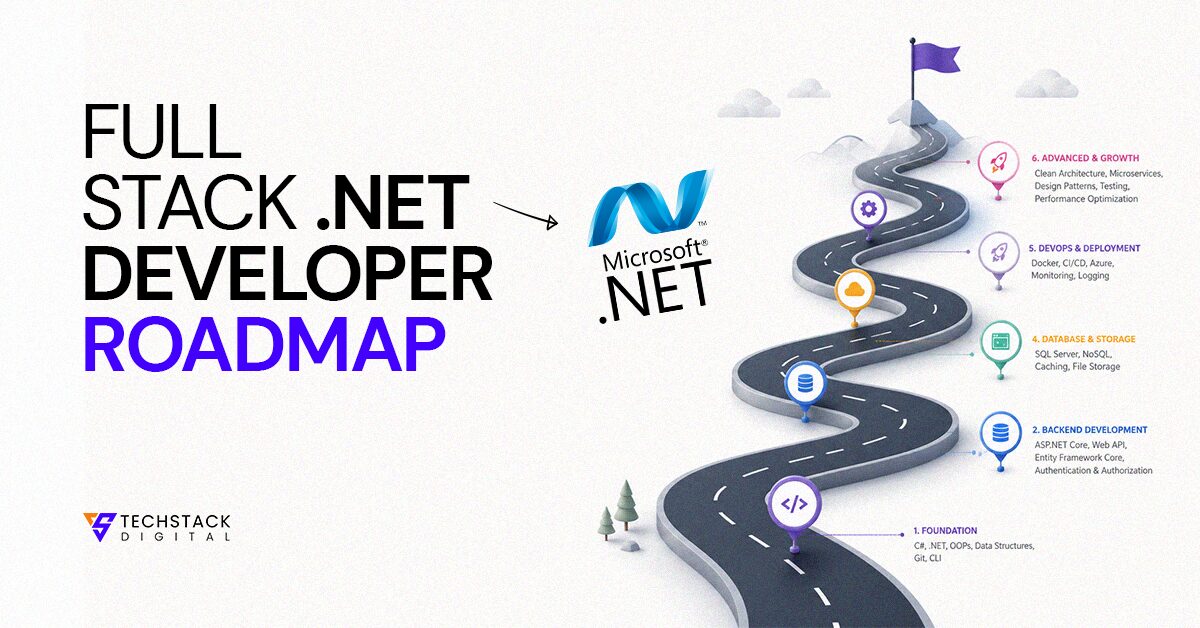
A practical .NET roadmap begins with programming and web fundamentals. It then moves through C#, frontend development, ASP.NET Core, databases, security, testing, architecture, and cloud deployment. Furthermore, this full stack roadmap connects every subject through practical projects. Treat it as a flexible learning roadmap rather than a rigid checklist. Your developer journey should focus on understanding, application, repetition, and continuous improvement across the wider software engineering roadmap.
Complete Learning Roadmap Flow
Follow this roadmap flow: web fundamentals, programming, C#, .NET, frontend development, backend APIs, databases, security, testing, architecture, DevOps, and cloud. This learning sequence supports steady developer progression across the complete technology stack.
Skills You Will Learn
You will develop programming skills, frontend skills, backend skills, database knowledge, security awareness, testing ability, architecture knowledge, and cloud skills. Furthermore, these technical skills prepare you to build and maintain complete applications.
Estimated Timeline (Beginner to Job-Ready)
A realistic learning timeline ranges from nine to eighteen months. The exact roadmap duration depends on weekly practice, prior experience, and project depth. Most learners need several months to learn .NET and become job ready.
Who Should Follow This Roadmap?
This beginner roadmap suits beginners, computer science students, career switchers, web developers, and software engineers expanding into Microsoft technologies. Furthermore, experienced developers can use it to identify missing skills and organise their learning.
Foundation
The foundation phase explains how applications communicate, process instructions, and organise code. Furthermore, it builds the mental models required for later .NET skills. Do not rush through these topics. Strong fundamentals make frameworks, databases, APIs, and architecture easier to understand. Additionally, they improve debugging because you can identify whether a problem begins in the browser, network, server, database, or application logic.
Step 1: Understand How the Web Works
Learn HTTP, HTTPS, DNS, browsers, TCP/IP, and the request response cycle before building applications. These concepts explain how a browser finds a server, sends data, receives a response, and displays content. Furthermore, understanding web architecture helps you diagnose performance, security, networking, and API problems. Study the client server model until you can describe the complete journey from entering a URL to viewing a rendered page.
HTTP vs HTTPS
HTTP defines communication between clients and servers. HTTPS adds SSL or TLS encryption to protect transmitted data. Therefore, modern applications use this secure communication method for authentication, payments, forms, and every sensitive web protocol interaction.
DNS Fundamentals
DNS translates a domain name into an IP address that computers can locate. Learn how a DNS lookup moves through resolvers and name servers. Furthermore, understand DNS caching within the broader internet infrastructure.
How Browsers Render Websites
A browser sends HTML through its HTML parser, builds the DOM, processes CSS into the CSSOM, and executes scripts through its JavaScript engine. The rendering engine then calculates layout and paints visible pixels.
Explore More
Also Learn about What Does a Full-Stack WordPress Developer Do? A Complete Guide
Client-Server Architecture
In client-server architecture, the frontend runs inside the browser while the backend processes business logic on a server. The client sends an API request, and the server returns data or a rendered response.
REST APIs Basics
A RESTful API exposes resources through an endpoint. Clients send CRUD operations through HTTP methods and usually exchange JSON. Furthermore, each API request should communicate its purpose through predictable URLs, status codes, and responses.
Step 2: Learn Programming Fundamentals
Start with programming basics before studying advanced frameworks. Learn variables, data types, operators, loops, conditionals, functions, and algorithms. Furthermore, practise logic building through small problems instead of memorising syntax. Write programs that accept input, transform data, validate conditions, and return output. Additionally, learn to trace execution manually. This practice helps you understand why code behaves incorrectly and develops the reasoning required for larger applications.
Variables and Data Types
Variables store information used by a program. Learn integers, decimals, strings, characters, Boolean values, dates, and collections. Furthermore, understand type conversion, scope, immutability, null values, and appropriate data-type selection.
Operators
Operators perform arithmetic, comparison, assignment, and logical operations. Practise combining them inside expressions. Additionally, learn operator precedence so your calculations and conditions execute in the intended order without hidden logic errors.
Control Flow
Control flow determines which instructions run. Use if statements, switch expressions, loops, break, and continue. Furthermore, avoid deeply nested logic by dividing complex decisions into smaller, clearly named functions.
Functions and Methods
Functions organise reusable logic around a clear responsibility. Learn parameters, return values, optional arguments, method overloading, and scope. Additionally, write small methods that perform one action and communicate intent through descriptive names.
Exception Handling
Exception handling allows applications to respond to unexpected failures. Use try, catch, and finally carefully. Furthermore, catch specific exceptions, preserve useful diagnostic details, and never use exceptions as ordinary control flow.
Step 3: Master Object-Oriented Programming (OOP)
Object-oriented programming models software through objects that combine data and behaviour. Learn classes, encapsulation, inheritance, polymorphism, abstraction, and interfaces. Furthermore, connect OOP concepts to SOLID principles and practical design principles. Avoid creating complex class hierarchies merely to demonstrate theory. Instead, use object oriented programming to isolate responsibilities, protect state, improve testability, and make changing business rules easier.
Classes and Objects
A class defines data and behaviour, while an object represents a created instance. Learn fields, properties, constructors, access modifiers, and methods. Furthermore, model meaningful business concepts rather than creating unnecessary wrapper classes.
Encapsulation
Encapsulation protects internal state and controls how other code modifies it. Use private fields and public methods to enforce rules. Additionally, prevent objects from entering invalid or inconsistent states.
Inheritance
Inheritance lets one class reuse or extend another class. Use it only when a genuine “is-a” relationship exists. Furthermore, prefer composition when behaviour changes independently or creates fragile class hierarchies.
Polymorphism
Polymorphism allows different implementations to share one contract. Code can call the same method through an interface or base type. Therefore, applications gain flexibility without depending on specific concrete classes.
Abstraction
Abstraction hides unnecessary implementation details and exposes essential behaviour. Use it to reduce cognitive load. Furthermore, design clear contracts that allow callers to use functionality without understanding every internal operation.
Interfaces
Interfaces define capabilities without controlling implementation. They support dependency injection, testing, and interchangeable services. Additionally, keep interfaces focused so each contract represents a clear responsibility instead of an oversized collection of methods.
SOLID Principles
SOLID principles guide maintainable object-oriented design. Study single responsibility, open-closed, Liskov substitution, interface segregation, and dependency inversion. Furthermore, apply them pragmatically rather than forcing patterns into simple code.
Step 4: Learn Git & GitHub
Git tracks source-code changes and supports safe collaboration. Learn how to initialise a repository, create commits, inspect history, manage branches, merge work, and resolve conflicts. Furthermore, use GitHub to host repositories, review code, manage issues, and create pull requests. Version control should become part of your daily workflow. Commit small, meaningful changes and write messages that explain why the code changed.
Git Commands
Practise git init, clone, status, add, commit, log, pull, push, branch, switch, and merge. Furthermore, understand staging, local history, remote tracking, and safe methods for undoing changes.
Branching Strategy
A branching strategy separates ongoing work from stable code. Create short-lived feature branches and merge them after review. Additionally, keep branches focused to reduce merge conflicts and simplify collaboration.
Pull Requests
A pull request proposes code changes and invites review. Explain the problem, implementation, testing, and risks. Furthermore, respond to feedback constructively and update the branch without hiding meaningful discussion.
Merge Conflicts
Merge conflicts occur when Git cannot combine overlapping changes automatically. Read both versions, understand their intention, and create the correct result. Additionally, run tests after resolution before completing the merge.
GitHub Actions Basics
GitHub Actions automates builds, tests, quality checks, and deployments. Learn workflow files, triggers, jobs, steps, runners, secrets, and artifacts. Furthermore, start with automated testing on every pull request.
Step 5: AI Tools Every .NET Developer Should Learn
AI tools can accelerate research, coding, testing, documentation, and debugging. Learn GitHub Copilot, ChatGPT, Claude, Cursor AI, and Windsurf. However, never treat an AI coding assistant as an unquestionable authority. Review generated code for security, correctness, performance, and maintainability. Furthermore, improve developer productivity through precise prompt engineering, useful context, small tasks, and clear acceptance criteria. AI should support engineering judgement rather than replace it.
GitHub Copilot
GitHub Copilot suggests code inside supported editors. Use it for repetitive implementation, tests, documentation, and exploration. Furthermore, inspect every suggestion because generated code may contain incorrect assumptions, insecure patterns, or outdated APIs.
ChatGPT
ChatGPT can explain concepts, compare designs, review code, and generate examples. Provide relevant constraints and error details. Additionally, test its suggestions instead of copying large solutions directly into production applications.
Claude Code
Claude Code supports repository-level coding, analysis, and command-line workflows. Use it to understand unfamiliar projects, propose changes, and review architecture. Furthermore, limit access and inspect modifications before accepting them.
Cursor IDE
Cursor integrates AI capabilities into a code editor. It can search files, suggest edits, and explain project context. Additionally, provide narrow instructions so it changes only the intended components.
Windsurf
Windsurf offers AI-assisted editing and project navigation. Use it to accelerate implementation and understand related files. Furthermore, protect credentials and review generated changes through Git before merging them.
Prompt Engineering for Developers
Effective prompt engineering defines the role, objective, context, constraints, output format, and acceptance criteria. Request small changes and provide relevant code. Additionally, ask the model to identify uncertainty rather than invent missing requirements.
Learn C# and .NET
C# and .NET form the core backend foundation. Learn the language before relying heavily on frameworks. Furthermore, understand how the runtime, compiler, packages, configuration, and dependency injection support application execution. Microsoft released .NET 10 as a long-term support version with three years of support, making it the appropriate baseline for new learning projects in 2026.
Step 6: Master C#
C# is the primary .NET language for modern web, cloud, desktop, mobile, and service development. Master syntax, collections, LINQ, delegates, events, generics, async await, records, nullable reference types, pattern matching, and file handling. Furthermore, learn how the type system prevents common errors. Build console applications before large web projects so you can practise the language without framework complexity.
C# Syntax
Learn variables, types, expressions, methods, namespaces, classes, properties, access modifiers, and control flow. Furthermore, follow standard C Sharp naming conventions so your code remains familiar to other .NET developers.
Collections
Collections organise groups of values. Practise arrays, lists, dictionaries, queues, stacks, sets, and immutable collections. Additionally, choose collections by access pattern, ordering, uniqueness, lookup speed, and mutation requirements.
Delegates
Delegates represent references to methods with compatible signatures. They support callbacks, strategies, and functional composition. Furthermore, understand built-in Action, Func, and Predicate delegate types before creating custom delegates.
Events
Events implement publisher-subscriber communication through delegates. Use them when one object announces an occurrence without controlling subscribers. Additionally, manage subscriptions carefully to avoid unexpected retention and memory problems.
LINQ
LINQ provides expressive operations for filtering, projecting, grouping, joining, and aggregating data. Learn deferred execution and query translation. Furthermore, distinguish in-memory LINQ from database queries generated by EF Core.
Generics
Generics create reusable, type-safe classes and methods. Practise generic collections, constraints, interfaces, and methods. Additionally, use generics to remove unsafe casts and duplicate implementations without sacrificing compile-time validation.
Async/Await
Async and await simplify non-blocking I/O operations. Use asynchronous programming for database, file, network, and API calls. Furthermore, avoid blocking asynchronous code with .Result or .Wait().
Reflection
Reflection inspects types, properties, methods, and metadata at runtime. Frameworks use it for serialization and dependency discovery. However, apply it carefully because it reduces compile-time safety and may affect performance.
Records
Records provide concise models with value-based equality. Use them for immutable data, commands, responses, and value objects. Furthermore, understand positional records, record classes, record structs, and nondestructive mutation.
Pattern Matching
Pattern matching simplifies conditional logic based on type, shape, and value. Practise type, property, relational, list, and logical patterns. Additionally, use switch expressions to create concise decision logic.
Nullable Reference Types
Nullable reference types communicate whether references may contain null. Enable the feature and resolve warnings thoughtfully. Furthermore, avoid suppressing warnings unless external constraints make the value demonstrably safe.
File Handling
Learn to create, read, update, and delete files through streams and helper methods. Additionally, use asynchronous operations for large files and validate paths to prevent security vulnerabilities.
Exception Handling
Create meaningful exceptions, preserve stack traces, and include useful context. Furthermore, centralise error handling in web applications and return safe responses without exposing internal implementation details or confidential information.
Step 7: Learn .NET Fundamentals
The .NET SDK provides compilers, templates, build tools, and the .NET CLI. The CLR, or Common Language Runtime, executes managed code and handles memory, exceptions, and type safety. Learn project structure, NuGet, dependency injection, middleware, configuration, and logging. Furthermore, understand the difference between the SDK, runtime, libraries, and application frameworks. This knowledge helps you diagnose build, package, deployment, and runtime problems.
.NET Runtime
The .NET Runtime includes the CLR and supporting libraries required to execute applications. Learn compilation, intermediate language, just-in-time compilation, garbage collection, exceptions, threads, and managed memory.
.NET CLI
The .NET CLI creates, builds, tests, runs, publishes, and manages projects. Practise commands such as dotnet new, restore, build, run, test, publish, and tool.
NuGet Packages
NuGet distributes reusable .NET libraries. Learn package references, transitive dependencies, versions, feeds, and lock files. Furthermore, inspect package quality, maintenance, licensing, and vulnerabilities before adoption.
Project Structure
Understand solution files, project files, source folders, configuration, static assets, dependencies, and test projects. Additionally, organise code by responsibility or feature without creating unnecessary folder depth.
Dependency Injection
Dependency injection provides required services from outside a class. Learn service registration, constructor injection, interfaces, and transient, scoped, and singleton lifetimes. Furthermore, avoid service-location patterns and lifetime mismatches.
Configuration
.NET configuration combines JSON files, environment variables, command-line arguments, and secret stores. Bind related settings to typed options. Additionally, keep credentials outside repositories and validate required configuration during startup.
Logging
Use structured logging instead of unsearchable text messages. Include meaningful properties and appropriate severity levels. Furthermore, never log passwords, access tokens, payment information, or unnecessary personal data.
Frontend Development
Frontend development turns data and business workflows into accessible user experiences. Learn HTML, CSS, and JavaScript before selecting a major framework. Furthermore, understand responsive layouts, browser behaviour, accessibility, state, forms, and API communication. Framework knowledge changes quickly, but web fundamentals remain useful across React, Angular, Blazor, and future tools.
Step 8: Learn HTML
HTML defines a web page structure and meaning. Learn HTML5 elements, semantic HTML, forms, tables, media, metadata, and accessibility. Furthermore, structure content according to purpose rather than visual appearance. Correct markup helps browsers, search engines, assistive technologies, and developers understand the page. Build forms with labels, validation attributes, useful input types, and predictable keyboard behaviour.
Semantic HTML
Semantic HTML uses elements such as header, nav, main, article, section, and footer according to meaning. Furthermore, it improves accessibility, maintainability, search interpretation, and document structure.
Forms
Forms collect and submit user information. Learn labels, controls, validation, fieldsets, buttons, and appropriate input types. Additionally, provide clear errors and preserve user input when validation fails.
Accessibility
Accessibility makes interfaces usable across abilities and devices. Use semantic markup, keyboard navigation, visible focus, text alternatives, labels, and sufficient contrast. Furthermore, test with assistive technology and automated tools.
Step 9: Learn CSS
CSS3 controls layout, spacing, typography, colour, responsiveness, and visual behaviour. Learn selectors, specificity, inheritance, the box model, positioning, Flexbox, Grid, media queries, and animations. Furthermore, create consistent design tokens for spacing, typography, and reusable components. Start with mobile layouts and progressively enhance larger screens. Avoid excessive overrides and deeply nested selectors because they make styles difficult to maintain.
Flexbox
Flexbox arranges items along one primary axis. Use it for navigation, alignment, component rows, and flexible spacing. Furthermore, learn direction, wrapping, alignment, ordering, growth, and shrinking.
CSS Grid
CSS Grid controls rows and columns simultaneously. Use it for page layouts, dashboards, cards, and structured sections. Additionally, practise responsive tracks with minmax, repeat, and fractional units.
Responsive Design
Responsive design adapts interfaces across screen sizes and input methods. Use flexible dimensions, responsive images, media queries, and content-driven breakpoints. Furthermore, test actual devices instead of relying only on desktop resizing.
Animations
Animations communicate state and guide attention when used carefully. Prefer transforms and opacity for smoother performance. Additionally, respect reduced-motion preferences and avoid decorative movement that harms usability.
Step 10: Learn JavaScript
JavaScript adds behaviour, state, validation, and API communication to webpages. Learn ES6 syntax, modules, arrays, objects, DOM manipulation, events, promises, the Fetch API, and async await. Furthermore, understand scope, closures, error handling, and the event loop. Build small applications with plain JavaScript before depending on a frontend framework. This practice reveals what frameworks automate and improves debugging.
Explore More
Also Learn about Javascript vs Python :Complete Comparison
ES6+
ES6 and later releases add let, const, modules, classes, template literals, destructuring, spread syntax, arrow functions, promises, and optional chaining. Furthermore, learn modern syntax without ignoring JavaScript fundamentals.
DOM Manipulation
The DOM represents the page as objects. Learn element selection, creation, updates, removal, classes, attributes, and event listeners. Additionally, minimise repeated DOM operations that trigger unnecessary rendering work.
Fetch API
The Fetch API sends HTTP requests from the browser. Learn headers, methods, JSON conversion, authentication, cancellation, and error handling. Furthermore, remember that unsuccessful HTTP status codes do not automatically reject requests.
Promises
Promises represent future completion or failure. Learn creation, chaining, error propagation, and combinators such as Promise.all. Additionally, avoid deeply nested callbacks by composing asynchronous operations clearly.
Async/Await
Async and await make promise-based code easier to read. Use try and catch for errors. Furthermore, run independent tasks concurrently rather than awaiting each operation sequentially.
Step 11: Choose a Frontend Framework
Choose React, Angular, or Blazor after learning core web technologies. Each frontend framework supports SPA development and component-based architecture, but each serves different teams. React offers flexibility and broad market adoption. Angular provides a structured TypeScript platform. Blazor supports C# across more of the technology stack. Furthermore, select one framework deeply before dividing attention across several alternatives.
React.js
React builds interfaces through reusable components and JSX. Learn React Hooks, state, effects, forms, React Router, Context API, and data fetching. Additionally, study Redux only when the application state genuinely requires centralised management.
Components
Components divide interfaces into reusable units with clear inputs and behaviour. Keep them focused, compose smaller components, and separate business logic from presentation when complexity begins to grow.
Hooks
Hooks add state, effects, references, and reusable behaviour to function components. Understand dependency arrays and cleanup. Furthermore, avoid unnecessary effects when values can be calculated during rendering.
React Router
React Router maps URLs to components within React applications. Learn nested routes, parameters, layouts, navigation, and protected routes. Additionally, preserve browser history and meaningful shareable URLs.
Angular
Angular provides a structured framework using TypeScript, Angular CLI, components, services, RxJS, routing, forms, and dependency injection. It suits teams that prefer strong conventions and integrated tools.
Components
Angular components combine templates, styles, and TypeScript behaviour. Learn inputs, outputs, lifecycle hooks, change detection, and standalone components. Furthermore, keep components focused on view-related responsibilities.
Services
Services contain reusable application logic and data access. Register them through Angular Dependency Injection. Additionally, choose appropriate provider scopes and avoid placing unrelated functionality in oversized services.
RxJS
RxJS models asynchronous streams through observables and operators. Learn mapping, filtering, combination, error handling, subscription cleanup, and multicasting. Furthermore, avoid complex pipelines when straightforward promises are sufficient.
Blazor
Blazor builds interactive interfaces with C# and Razor Components. Learn Blazor Server, Blazor WebAssembly, forms, validation, routing, JavaScript interoperability, and SignalR. It fits teams invested heavily in the Microsoft ecosystem.
Blazor Server
Blazor Server executes component logic on the server and sends interface updates through SignalR. It offers small client downloads but depends on persistent connectivity and careful server scaling.
Blazor WebAssembly
Blazor WebAssembly runs .NET code inside the browser. It supports offline-capable experiences and client execution. However, initial downloads and browser resource constraints require deliberate performance planning.
Razor Components
Razor Components combine HTML markup and C# logic in reusable units. Learn parameters, events, lifecycle methods, state, cascading values, and rendering. Furthermore, keep business logic outside presentation components.
React with ASP.NET Core remains a broadly transferable combination. However, Blazor provides strong value for C#-focused enterprise teams. Choose according to employment goals, project constraints, team skills, and integration requirements rather than popularity alone.
Backend Development
Backend development handles business rules, data access, security, integrations, and application reliability. ASP.NET Core provides a cross-platform framework for creating web applications and services. Microsoft’s current documentation describes it as suitable for fast, secure, cloud-based applications and APIs. Learn the framework incrementally by building one complete API instead of studying every feature in isolation.
Step 12: Learn ASP.NET Core
ASP.NET Core supports MVC, Razor Pages, Minimal APIs, and Web API development. Learn middleware, dependency injection, routing, model binding, validation, filters, configuration, logging, and error handling. Furthermore, understand the request pipeline because almost every backend feature participates in it. Build endpoints that accept input, call application services, access data, and return predictable responses. Avoid placing business logic directly inside controllers.
MVC
MVC separates models, views, and controllers. Controllers process requests, models represent data, and views generate HTML. Furthermore, understand separation of concerns before adopting abstractions or templates that hide the request flow.
Razor Pages
Razor Pages organise server-rendered functionality around individual pages. They work well for forms, administration tools, and content-driven applications. Additionally, page models keep request handling separate from HTML markup.
Minimal APIs
Minimal APIs create HTTP endpoints with limited ceremony. They suit small services and focused APIs. Furthermore, organise handlers, validation, and business logic carefully as the application grows beyond simple examples.
Web APIs
ASP.NET Core Web APIs expose application capabilities to browsers, mobile apps, and other services. Learn controllers, endpoints, HTTP methods, status codes, request models, response contracts, and content negotiation.
Middleware
Middleware processes requests and responses in sequence. Use it for authentication, logging, error handling, routing, and compression. Additionally, understand ordering because incorrect placement can prevent expected behaviour.
Dependency Injection
ASP.NET Core includes a dependency injection container. Register services during startup and request them through constructors. Furthermore, select appropriate lifetimes and avoid injecting large collections of unrelated dependencies.
Routing
Routing maps incoming URLs and HTTP methods to endpoints. Learn route templates, parameters, constraints, attribute routing, and endpoint names. Additionally, keep public API paths consistent and resource-focused.
Model Binding
Model binding converts request data into .NET objects. Learn binding sources, complex types, collections, and custom binders. Furthermore, separate transport models from domain entities to protect internal application structure.
Validation
Validation rejects incomplete, malformed, or invalid input. Use data annotations or dedicated validators. Additionally, enforce critical business rules inside the domain or application layer rather than trusting client-side validation.
Step 13: Build RESTful APIs
Build a REST API around resources and predictable HTTP behaviour. Implement CRUD API operations, JSON contracts, validation, pagination, filtering, error handling, and API Versioning. Furthermore, document endpoints with Swagger and OpenAPI and test them through Postman. Use correct status codes, stable response structures, and idempotent methods where appropriate. Treat API design as a user experience for other developers.
CRUD APIs
CRUD APIs create, read, update, and delete resources through POST, GET, PUT or PATCH, and DELETE. Furthermore, validate input and return meaningful status codes for each outcome.
Versioning
API versioning protects existing clients when contracts change. Use URL, query, header, or media-type strategies consistently. Additionally, publish migration guidance and retire old versions through a clear policy.
Swagger/OpenAPI
OpenAPI describes endpoints, parameters, schemas, security, and responses. Swagger tools render interactive documentation. Furthermore, keep generated documentation accurate by defining response types, examples, and authentication requirements.
Error Handling
Centralise API error handling and return predictable problem details. Log internal context while exposing safe messages. Additionally, distinguish validation failures, missing resources, conflicts, unauthorised access, and unexpected server errors.
Pagination
Pagination limits large result sets. Use page-based pagination for simplicity or cursor-based pagination for changing datasets. Furthermore, return navigation metadata without performing unnecessarily expensive total-count queries.
Filtering
Filtering lets clients request relevant records through controlled query parameters. Validate allowed fields and operators. Additionally, prevent clients from constructing unrestricted database expressions that create security or performance risks.
API Documentation
API documentation explains authentication, endpoints, requests, responses, errors, examples, limits, and version policies. Furthermore, write task-focused guidance beyond generated schemas so developers can integrate successfully.
Database Development
Databases preserve application state and support reliable querying. Learn relational concepts before relying on an ORM. Furthermore, practise schema design, keys, relationships, constraints, indexing, transactions, and query analysis. SQL knowledge allows you to identify inefficient application queries, preserve data integrity, and make better decisions when choosing EF Core, Dapper, or direct database operations.
Step 14: Learn SQL
Learn SQL through SQL Server first, then explore PostgreSQL or MySQL when needed. Study tables, keys, relationships, joins, views, stored procedures, indexes, transactions, aggregation, and normalization. Furthermore, practise writing queries manually before generating them through an ORM. Use constraints to protect data and inspect execution plans when performance degrades. Avoid storing redundant data unless measurement justifies deliberate denormalisation.
Joins
Joins combine rows across related tables. Practise inner, left, right, full, cross, and self joins. Furthermore, understand how relationship cardinality affects duplicates, result size, and query performance.
Views
Views save reusable queries behind a database object. Use them for controlled access and complex read models. Additionally, understand their limitations and inspect generated execution plans rather than assuming automatic performance improvements.
Stored Procedures
Stored procedures encapsulate database commands and can support specialised workflows. Use parameters safely and manage changes through source control. Furthermore, avoid placing all business logic inside the database without clear reasons.
Indexes
Indexes improve selected reads but add storage and write overhead. Learn clustered, nonclustered, unique, composite, and filtered indexes. Additionally, order indexed columns according to actual query patterns.
Transactions
Transactions group operations into one consistent unit. Learn atomicity, consistency, isolation, and durability. Furthermore, keep transactions short, handle failures, and choose isolation levels according to concurrency requirements.
Step 15: Learn Entity Framework Core
Entity Framework Core is a .NET ORM that maps objects to relational data. Learn DbContext, entities, relationships, LINQ, tracking, migrations, Fluent API, Code First, and Database First. Furthermore, inspect generated SQL because convenient application code can still create inefficient queries. Use projections, pagination, and no-tracking queries for read-heavy operations. Avoid exposing entities directly through public APIs.
DbContext
DbContext coordinates database queries, entity tracking, and persistence. Register it with a scoped lifetime in web applications. Furthermore, keep each context short-lived and avoid sharing it across concurrent operations.
Code First
Code First defines the model in C# and creates schema changes through migrations. It supports version-controlled database evolution. Additionally, review generated migrations before applying them to production databases.
Database First
Database First generates models from an existing schema. It suits legacy or database-owned environments. Furthermore, establish a repeatable regeneration process so manual changes do not disappear unexpectedly.
LINQ
EF Core translates supported LINQ expressions into SQL. Project only required fields and avoid premature materialisation. Additionally, inspect queries when navigation loading, grouping, or client evaluation creates unexpected behaviour.
Migrations
Migrations record incremental schema changes. Generate, review, test, and deploy them through controlled processes. Furthermore, plan data transformations carefully because changing structure may require updating existing production records.
Fluent API
Fluent API configures entities, keys, relationships, indexes, conversions, constraints, and table mappings. It provides greater control than attributes. Additionally, keep configurations in dedicated classes for readability.
Step 16: Learn Dapper
Dapper is a lightweight micro ORM that maps SQL query results to objects. It provides direct SQL control with limited abstraction. Furthermore, it can improve SQL performance for carefully optimised read operations. Learn parameterised queries, transactions, multi-mapping, and asynchronous data access. Many applications use a hybrid EF and Dapper strategy: EF Core handles ordinary writes and domain persistence, while Dapper serves performance-sensitive reports and read models.
Performance Benefits
Dapper adds minimal mapping overhead and gives developers direct control over SQL. However, performance benefits depend on query design, indexes, network traffic, and database load rather than the ORM alone.
CRUD Operations
Implement parameterised create, read, update, and delete operations with Dapper. Additionally, handle connections, transactions, cancellation, null values, and result cardinality consistently across the data-access layer.
Hybrid EF + Dapper Strategy
A hybrid strategy uses EF Core for change tracking and domain persistence while Dapper handles specialised reads. Furthermore, share transaction boundaries carefully when both tools modify related data.
Step 17: Learn Redis
Redis stores data in memory for fast access. Use it for caching, distributed cache, rate-limiting counters, session storage, and temporary coordination. Furthermore, understand expiration, eviction, serialization, cache invalidation, and failure behaviour. Redis supports performance optimization but also adds infrastructure complexity. Design applications to remain correct when cached values expire or the cache becomes unavailable.
Distributed Cache
A distributed cache shares values across multiple application instances. Use stable keys, sensible expiration, and versioned formats. Additionally, avoid caching sensitive information without suitable encryption and access controls.
Session Storage
Redis can store session data across scaled servers. Keep sessions small and temporary. Furthermore, avoid designing core business processes that fail when session data expires or becomes unavailable.
Performance Optimization
Measure response times and database load before adding Redis. Cache expensive, frequently reused data. Additionally, monitor hit rate, memory use, evictions, latency, and invalidation correctness after deployment.
Authentication and Security
Security must shape every phase of application design. Learn identity, authentication, authorization, secure communication, input validation, secrets management, and vulnerability prevention. Furthermore, study the OWASP Top 10 and common API Security failures. Security is not a feature added before launch. It requires secure defaults, reviews, testing, monitoring, patching, and disciplined operational processes.
Step 18: Secure Your Applications
Use HTTPS, ASP.NET Identity, JWT, OAuth, secure cookies, and robust authorization policies. Authentication proves identity, while authorization controls access. Furthermore, implement role based access only when roles match business requirements; otherwise, use policy-based authorization. Protect applications from XSS, CSRF, injection, credential attacks, data exposure, and insecure configuration. Store secrets outside source code, rotate credentials, and validate every untrusted input.
Authentication
Authentication verifies who a user or calling service is. Use established identity providers and proven libraries. Furthermore, support secure password storage, account recovery, multifactor authentication, and session invalidation.
Authorization
Authorization decides what an authenticated identity may access. Check permissions on the server for every protected operation. Additionally, deny access by default and avoid trusting interface visibility as security enforcement.
JWT
JWT tokens carry signed claims between systems. Validate issuer, audience, signature, expiry, and algorithm. Furthermore, keep access tokens short-lived and avoid placing confidential information inside readable token payloads.
Refresh Tokens
Refresh tokens obtain new access tokens without repeated sign-in. Store them securely, rotate them after use, and revoke compromised token families. Additionally, detect suspicious reuse and device changes.
OAuth
OAuth delegates controlled access without sharing user passwords. Learn authorization code flows, scopes, clients, redirect validation, and PKCE. Furthermore, use OpenID Connect when applications also require user authentication.
Identity
ASP.NET Identity manages users, passwords, roles, claims, tokens, and account workflows. Customise it carefully. Additionally, protect registration, login, reset, verification, and lockout endpoints from automated abuse.
Role-Based Access
Role-based access assigns permissions through organisational roles. Keep roles stable and meaningful. Furthermore, avoid creating a separate role for every minor permission because management quickly becomes difficult.
Policy-Based Authorization
Policy-based authorization evaluates requirements, claims, resources, and custom handlers. Use it for contextual business rules. Additionally, place policies close to application requirements and test both permitted and rejected scenarios.
OWASP Top 10
Study current OWASP risks, including broken access control, injection, security misconfiguration, vulnerable components, authentication failures, and logging weaknesses. Furthermore, translate each category into concrete application controls and tests.
Secure API Development
Secure APIs through HTTPS, authentication, authorization, validation, rate limiting, safe errors, and monitoring. Additionally, restrict CORS deliberately and never expose administrative endpoints without stronger protection.
Testing
Testing provides rapid feedback and protects established behaviour during change. Learn unit testing, integration testing, mocks, test data, and automated execution. Furthermore, focus on important business behaviour rather than chasing an arbitrary coverage percentage. Reliable tests remain readable, deterministic, isolated, and fast enough for frequent execution.
Step 19: Learn Software Testing
Use xUnit, NUnit, or MSTest for automated .NET tests. Learn unit testing, integration testing, mocking, FluentAssertions, Moq, and Testcontainers. Furthermore, understand the testing pyramid and apply each test level according to risk. Unit tests isolate business rules, while integration tests verify databases, middleware, APIs, and external boundaries. Avoid mocking every class because excessive mocks reproduce implementation details instead of validating useful behaviour.
Unit Testing
Unit tests verify small units of behaviour without slow external systems. Arrange inputs, perform the action, and assert outcomes. Furthermore, name tests according to behaviour and expected results.
Integration Testing
Integration testing verifies components working together. Test HTTP pipelines, databases, authentication, serialization, and infrastructure boundaries. Additionally, reset shared state so tests remain independent and repeatable.
Mocking
Mocking replaces a dependency with controlled behaviour. Use it at genuine external boundaries. Furthermore, prefer simple fakes when they provide clearer tests with less setup and implementation coupling.
xUnit
xUnit is a widely used .NET testing framework. Learn facts, theories, fixtures, assertions, and test lifecycle behaviour. Additionally, run tests through the .NET CLI and continuous-integration pipelines.
FluentAssertions
FluentAssertions provides readable assertion syntax for values, objects, collections, exceptions, and asynchronous operations. Furthermore, use precise assertions so failures explain the expected behaviour clearly.
Moq
Moq creates configurable test doubles for interfaces and virtual members. Use setups and verifications selectively. Additionally, avoid tests that only confirm every internal method call occurred.
TestContainers
Testcontainers launches disposable infrastructure such as SQL Server, PostgreSQL, Redis, or message brokers during tests. Furthermore, it improves realism while keeping test environments reproducible and isolated.
Architecture
Architecture organises code, dependencies, data, communication, and operational responsibilities. Learn architectural approaches after building ordinary applications. Otherwise, patterns become abstract terminology without practical context. Furthermore, architecture should reduce business and technical risk rather than maximise the number of layers, projects, or interfaces.
Step 20: Learn Software Architecture
Study Layered Architecture, Clean Architecture, Onion Architecture, Repository Pattern, CQRS, MediatR, DDD, and common software design patterns. Furthermore, understand dependency direction, boundaries, cohesion, coupling, and transaction ownership. Use architecture according to application complexity. A simple CRUD service rarely needs every enterprise pattern. Conversely, complex business domains benefit from explicit models and isolated rules.
Clean Architecture
Clean Architecture places business rules at the centre and directs dependencies inward. It separates infrastructure from application behaviour. Furthermore, use boundaries to support testing and replace external details.
Onion Architecture
Onion Architecture organises domain logic inside concentric layers, with infrastructure outside. It emphasises dependency inversion. Additionally, avoid treating every folder or project as a mandatory architectural layer.
Layered Architecture
Layered Architecture separates presentation, application, business, and data responsibilities. It offers a familiar starting point. Furthermore, prevent layers from becoming pass-through wrappers without meaningful responsibilities.
Repository Pattern
A repository abstracts collection-like access to domain entities. Use it when it provides useful domain boundaries. Additionally, avoid generic repositories that merely duplicate every DbContext operation.
CQRS
CQRS separates read operations from commands that change state. It supports different models and scaling strategies. However, use it only when differing read and write needs justify added complexity.
MediatR
MediatR dispatches requests to handlers inside .NET applications. It can support CQRS and pipeline behaviours. Furthermore, avoid hiding simple method calls behind excessive indirection without a clear benefit.
Domain-Driven Design
DDD aligns software models with complex business concepts. Learn entities, value objects, aggregates, bounded contexts, and ubiquitous language. Additionally, collaborate with domain experts instead of designing terminology independently.
Event-Driven Architecture
Event-driven architecture publishes facts about completed changes. Consumers react asynchronously. Furthermore, design idempotency, ordering, retries, schema evolution, observability, and failure recovery before relying on events.
Step 21: Learn Microservices
Microservices divide a system into independently deployable services around business capabilities. Learn API Gateway patterns, service discovery, RabbitMQ, MassTransit, gRPC, messaging, and distributed systems fundamentals. Furthermore, understand the operational cost: network failures, eventual consistency, monitoring, deployment coordination, and data ownership. Start with a modular monolith unless independent scaling or organisational boundaries justify distributed architecture.
API Gateway
An API Gateway provides one external entry point and routes requests to internal services. It may handle authentication, aggregation, and rate limiting. Furthermore, avoid placing core business logic inside it.
Service Discovery
Service discovery allows services to locate changing instances. Container platforms may provide built-in discovery. Additionally, understand health checks, DNS behaviour, load balancing, and failure handling.
Messaging
Messaging decouples producers from consumers through queues or topics. Learn delivery guarantees, acknowledgements, retries, dead-letter queues, and idempotency. Furthermore, design for duplicate delivery rather than assuming exactly-once processing.
RabbitMQ
RabbitMQ provides queue-based and publish-subscribe messaging. Learn exchanges, queues, bindings, routing keys, acknowledgements, and durability. Additionally, monitor queue depth, consumer health, and processing failures.
MassTransit
MassTransit provides .NET abstractions for message brokers such as RabbitMQ. It supports consumers, retries, sagas, and transactional patterns. Furthermore, understand underlying messaging concepts before depending on framework conventions.
gRPC
gRPC provides strongly typed, efficient service communication through Protocol Buffers and HTTP/2. Use it for internal high-performance calls. Additionally, plan compatibility, deadlines, retries, and browser limitations.
Cloud and DevOps
Cloud and DevOps skills help developers build, package, release, scale, and operate software reliably. Learn containers, CI/CD, cloud platforms, infrastructure definitions, and orchestration after creating deployable applications. Furthermore, automate repeatable processes and treat production behaviour as part of software engineering rather than a separate operational concern.
Step 22: Learn Docker
Docker packages applications and dependencies into portable containers. Learn images, containers, Dockerfile instructions, volumes, networks, environment variables, and Docker Compose. Furthermore, create small, secure images through multi-stage builds and non-root execution. Use containers to standardise development, testing, and deployment environments. Do not store persistent application data inside disposable container layers.
Docker Images
Docker images contain immutable filesystem layers and runtime instructions. Build them from trusted base images. Furthermore, pin versions, remove unnecessary tools, scan vulnerabilities, and rebuild regularly for security updates.
Containers
Containers run isolated processes from images. Learn ports, environment variables, networks, volumes, resource limits, health checks, and lifecycle commands. Additionally, keep each container focused on one main process.
Docker Compose
Docker Compose defines multi-container development environments in YAML. Use it for applications, databases, Redis, and messaging systems. Furthermore, separate environment-specific configuration and protect secrets.
Step 23: Learn CI/CD
CI/CD automates building, testing, packaging, and releasing software. Learn GitHub Actions, Azure DevOps, Jenkins concepts, artifacts, environments, approvals, secrets, and deployment pipeline design. Furthermore, make pipelines repeatable and fail quickly when quality checks fail. Use automated deployments to reduce manual errors while retaining controls for sensitive production releases.
GitHub Actions
GitHub Actions runs workflows from repository events. Configure builds, tests, scans, artifacts, and deployments. Additionally, pin third-party actions, restrict permissions, and protect credentials from untrusted pull requests.
Azure DevOps
Azure DevOps provides repositories, boards, pipelines, artifacts, and test-management services. Learn YAML pipelines, service connections, environments, and approvals. Furthermore, organise reusable templates for consistent delivery across projects.
Deployment Pipelines
Deployment pipelines promote tested artifacts through environments. Use immutable packages, automated validation, health checks, rollback plans, and approvals. Additionally, avoid rebuilding different artifacts for staging and production.
Step 24: Learn Cloud Platforms
Microsoft Azure aligns closely with the .NET ecosystem. Learn Azure App Service, Azure SQL, Azure Storage, Azure Functions, identity, networking, monitoring, and secret management. Furthermore, learn AWS basics such as EC2, S3, and RDS to broaden your cloud computing knowledge. Do not memorise every service. Instead, deploy one application and understand its cost, security, availability, configuration, and operational behaviour.
Microsoft Azure
Microsoft Azure provides compute, storage, databases, networking, identity, analytics, and managed developer services. Learn resource groups, subscriptions, regions, identities, access control, costs, and deployment fundamentals.
Azure App Service
Azure App Service hosts web applications and APIs without managing servers directly. Learn deployment slots, scaling, configuration, managed identity, custom domains, certificates, networking, and health checks.
Azure SQL
Azure SQL offers managed relational database services based on SQL Server. Learn connectivity, firewall rules, identity, backups, scaling, monitoring, and performance tiers. Furthermore, protect connections and optimise queries.
Azure Storage
Azure Storage provides blobs, queues, files, and tables. Use it for documents, media, messages, and scalable object storage. Additionally, apply lifecycle rules, private access, and time-limited authorisation.
Azure Functions
Azure Functions runs event-driven code without dedicated server management. Use it for scheduled jobs, queue processing, integrations, and lightweight APIs. Furthermore, understand execution limits, scaling, retries, and idempotency.
AWS Basics
AWS offers broad cloud infrastructure and managed services. Learn identities, regions, availability zones, networking, pricing, monitoring, and shared responsibility. Additionally, map familiar Azure concepts to equivalent AWS services.
EC2
EC2 provides configurable virtual machines. Learn images, instance types, storage, security groups, scaling, and load balancing. Furthermore, automate configuration rather than maintaining manually customised servers.
S3
S3 provides durable object storage. Learn buckets, keys, policies, encryption, lifecycle rules, versioning, and signed URLs. Additionally, block unintended public access and monitor unusual data activity.
RDS
RDS provides managed relational databases, including SQL Server, PostgreSQL, and MySQL. Learn backups, availability, parameter groups, networking, maintenance, monitoring, and vertical or read-based scaling.
Step 25: Infrastructure as Code
Infrastructure as Code defines cloud resources through version-controlled files. Learn Terraform and Bicep alongside Azure Resource Manager concepts. IaC improves repeatability, reviewability, disaster recovery, and environment consistency. Furthermore, separate configuration from secrets and plan state management carefully. Review infrastructure changes through pull requests and apply them through controlled pipelines rather than personal workstations.
Terraform
Terraform defines infrastructure across multiple providers through declarative configuration. Learn providers, resources, variables, outputs, modules, plans, and state. Furthermore, secure remote state and control concurrent changes.
Bicep
Bicep provides concise Azure-native infrastructure definitions that compile to Azure Resource Manager templates. Learn modules, parameters, outputs, conditions, and scopes. Additionally, use deployment previews before applying changes.
Step 26: Kubernetes
Kubernetes, or K8s, manages containers across clusters. Learn Pods, Deployments, Services, configuration, secrets, health probes, scaling, and Helm. Furthermore, understand container orchestration concepts before using managed platforms. Kubernetes offers powerful scheduling and recovery, but smaller applications may run more simply on managed application services. Adopt it when operational requirements justify its complexity.
Pods
Pods contain one or more tightly related containers that share networking and storage context. Treat them as replaceable. Furthermore, configure resource requests, limits, probes, and graceful shutdown.
Deployments
Deployments manage replicated stateless Pods and rolling updates. Learn selectors, replica counts, rollout history, and rollback. Additionally, choose strategies that preserve availability during application changes.
Services
Kubernetes Services provide stable networking for changing Pod instances. Learn ClusterIP, NodePort, and LoadBalancer types. Furthermore, understand service discovery, endpoints, ingress, and external traffic routing.
Helm Charts
Helm packages Kubernetes resources into configurable charts. Use templates, values, dependencies, and release history. Additionally, keep charts understandable and avoid complex templating that hides generated resources.
Performance and Observability
Production applications require measurement, diagnosis, and optimisation. Learn performance testing, structured logging, metrics, traces, dashboards, and alerts. Furthermore, establish baselines before making changes. Optimisation without evidence can increase complexity while failing to improve user experience.
Step 27: Performance Optimization
Performance tuning begins with measurement. Use BenchmarkDotNet for focused code benchmarks and profiling tools for application behaviour. Learn memory optimization, caching, asynchronous programming, database tuning, connection pooling, compression, and efficient serialization. Furthermore, identify whether latency comes from CPU, allocation, locks, network calls, database queries, or external services. Optimise the largest verified bottleneck rather than rewriting code based on assumptions.
Caching Strategies
Use in-memory, distributed, response, and content caching according to data behaviour. Define expiration and invalidation rules. Furthermore, avoid caching personalised or sensitive responses under shared keys.
Memory Management
Understand allocations, object lifetimes, garbage-collection generations, large objects, and disposal. Use profilers to find leaks and excessive allocation. Additionally, avoid premature low-level optimisation without measured evidence.
BenchmarkDotNet
BenchmarkDotNet runs repeatable .NET microbenchmarks with warm-up, measurement, and statistical reporting. Use it for isolated alternatives. Furthermore, avoid treating microbenchmark results as complete application-performance evidence.
Async Optimization
Asynchronous programming improves throughput for I/O-bound work. Use cancellation tokens and avoid unnecessary task creation. Additionally, do not use async code to disguise CPU-bound operations that need parallelisation or redesign.
Step 28: Monitoring & Observability
Observability explains application behaviour through logs, metrics, and traces. Learn Serilog, OpenTelemetry, Prometheus, Grafana, and Application Insights. Furthermore, define useful service-level indicators such as latency, error rate, throughput, and saturation. Connect telemetry across APIs, databases, queues, and external calls through correlation identifiers. Monitoring should detect meaningful user impact rather than produce constant low-value alerts.
Serilog
Serilog provides structured logging for .NET. Record searchable properties instead of embedding values in messages. Additionally, enrich logs with request, environment, and correlation context while protecting sensitive information.
OpenTelemetry
OpenTelemetry standardises logs, metrics, and distributed traces across platforms. Instrument incoming requests, outgoing calls, and background jobs. Furthermore, export telemetry to suitable analysis and monitoring backends.
Prometheus
Prometheus collects time-series metrics through labelled measurements. Use counters, gauges, and histograms thoughtfully. Additionally, avoid high-cardinality labels that create excessive storage and query costs.
Grafana
Grafana visualises metrics, logs, and traces through dashboards. Create views around user outcomes and service health. Furthermore, link related telemetry so engineers can investigate incidents efficiently.
Application Insights
Application Insights monitors Azure-hosted and distributed applications. It captures requests, dependencies, exceptions, traces, and performance data. Additionally, configure sampling, retention, alerts, and privacy controls deliberately.
Build Real Projects
Projects connect isolated skills and expose practical gaps. Build each application from planning through deployment rather than stopping when the basic interface works. Furthermore, add authentication, validation, tests, documentation, logging, and CI/CD as your knowledge grows. A focused portfolio with several complete applications provides stronger evidence than dozens of copied tutorials.
Beginner Projects
Start with a CRUD project such as a To-do App, Notes App, or Weather App. These projects teach forms, validation, API requests, database operations, and basic deployment. Furthermore, they create a beginner portfolio without overwhelming architecture. Add one feature at a time, document design decisions, and publish the code through GitHub.
To-Do Application
Build users, tasks, priorities, due dates, status changes, and filtering. Additionally, add validation, authentication, EF Core persistence, tests, and deployment to transform a basic tutorial into a credible project.
Weather App
Build a Weather App that consumes an external API, handles errors, caches responses, and displays responsive results. Furthermore, protect API credentials and communicate unavailable or delayed data clearly.
Notes App
Build a Notes App with categories, search, editing, archiving, and ownership controls. Additionally, practise secure CRUD operations, text validation, database indexes, and accessible forms.
Intermediate Projects
Intermediate projects should model larger workflows and multiple user roles. Build an eCommerce application, Hospital Management System, CRM software, or Inventory System. Furthermore, add reporting, background jobs, file storage, notifications, testing, and deployment automation. Focus on clear business rules and maintainable boundaries instead of maximising features. Include architecture diagrams and setup documentation in the repository.
E-Commerce Website
Build products, categories, carts, orders, inventory, payments, and administration. Furthermore, handle concurrent stock changes, payment callbacks, idempotency, security, and reliable order-state transitions.
Hospital Management System
Model patients, appointments, practitioners, records, and permissions. Additionally, protect confidential information, log access, validate workflows, and avoid presenting the project as compliant without formal assessment.
CRM Application
Create companies, contacts, leads, opportunities, activities, and dashboards. Furthermore, implement role permissions, audit history, filtering, import tools, notifications, and practical sales-pipeline workflows.
Advanced Projects
Advanced projects demonstrate architecture, scalability, security, operations, and complex business modelling. Build a SaaS platform, multi-tenant application, real-time chat system, or enterprise application. Furthermore, add tenant isolation, billing, background processing, SignalR, observability, resilient integrations, and cloud infrastructure. Document trade-offs instead of claiming one architecture is universally correct.
SaaS Platform
Build subscription plans, organisations, billing, usage limits, onboarding, and administration. Additionally, design reliable webhooks, entitlement checks, account lifecycle workflows, and operational dashboards.
Multi-Tenant Application
A multi-tenant application serves multiple organisations while isolating data and configuration. Choose database, schema, or row-level isolation. Furthermore, test every query and cache key for tenant boundaries.
Real-Time Chat Application
Build real-time chat with SignalR, authentication, presence, groups, message history, and delivery indicators. Additionally, plan scale-out, reconnect behaviour, moderation, rate limits, and unavailable-client handling.
Inventory Management System
Model products, warehouses, transfers, purchases, adjustments, and stock movements. Furthermore, preserve audit history, handle concurrency, prevent negative inventory, and produce accurate reports from transactional data.
Interview Preparation
Interview preparation combines conceptual review, practical coding, communication, and project discussion. Study common topics while continuing to build software. Furthermore, explain trade-offs instead of reciting definitions. Interviewers often evaluate how you clarify requirements, structure solutions, test assumptions, and respond to uncertainty.
Common .NET Interview Questions
Prepare for .NET interview, C# interview, ASP.NET interview, EF Core interview, SQL interview, and system-design discussions. Review runtime behaviour, dependency injection, middleware, async code, LINQ, database performance, HTTP, security, and testing. Furthermore, practise explaining one portfolio project from requirements to production. Describe problems, decisions, alternatives, failures, and improvements clearly.
C# Questions
Review value and reference types, equality, collections, generics, delegates, LINQ, exceptions, garbage collection, nullable references, and async programming. Additionally, write small examples rather than relying only on definitions.
ASP.NET Core Questions
Prepare to explain middleware ordering, service lifetimes, routing, model binding, validation, authentication, authorization, configuration, logging, and API design. Furthermore, connect each answer to practical project experience.
Entity Framework Questions
Review tracking, migrations, relationships, transactions, loading strategies, projections, concurrency, generated SQL, and query performance. Additionally, explain when direct SQL or Dapper offers a better fit.
SQL Questions
Practise joins, grouping, subqueries, window functions, indexes, transactions, normalization, constraints, and execution plans. Furthermore, solve queries manually and explain the performance implications of each design.
System Design Questions
Clarify requirements before drawing components. Discuss APIs, data models, scaling, caching, messaging, security, observability, and failure recovery. Additionally, state assumptions and explain trade-offs rather than presenting one perfect design.
Coding Interview Preparation
Coding interviews test problem solving, Data Structures, Algorithms, communication, and implementation quality. Use LeetCode, HackerRank, and similar coding challenges to practise arrays, strings, hash maps, stacks, queues, trees, graphs, sorting, searching, and dynamic programming. Furthermore, analyse time and space complexity. Do not memorise complete solutions. Learn reusable patterns and explain your reasoning while coding.
Data Structures
Study arrays, lists, dictionaries, sets, stacks, queues, linked lists, trees, heaps, and graphs. Furthermore, understand operation costs and select structures according to access and update requirements.
Algorithms
Learn searching, sorting, traversal, recursion, backtracking, greedy methods, and dynamic programming. Additionally, practise recognising patterns and proving why a proposed algorithm produces the correct result.
LeetCode Roadmap
Begin with easy array, string, and hash-map problems. Then practise two pointers, sliding windows, stacks, trees, graphs, and dynamic programming. Furthermore, review mistakes and repeat difficult patterns.
Certifications
Certifications provide structured learning and external evidence, but they do not replace projects or experience. Choose credentials that support your intended role. Furthermore, use official study guides because Microsoft updates exam objectives as services and responsibilities change.
Best Microsoft Certifications
Start with AZ-900 for cloud fundamentals. Consider AZ-204 for Azure development and AZ-305 for architecture after gaining practical cloud experience. Microsoft currently lists AZ-204 under Azure Developer Associate and AZ-305 under Azure Solutions Architect Expert. A Microsoft Certification or Azure Certification supports a résumé, but employers still evaluate coding ability, architecture judgement, and delivered projects.
Azure Fundamentals (AZ-900)
AZ-900 covers cloud concepts, Azure architecture, services, management, and governance. It suits beginners and non-specialists. Furthermore, use hands-on labs so the material represents practical understanding rather than memorised terminology.
Azure Developer Associate (AZ-204)
AZ-204 evaluates developing Azure compute, storage, security, monitoring, and service integrations. Prepare after deploying real applications. Additionally, follow Microsoft’s current study guide because measured skills receive periodic updates.
Azure Solutions Architect (AZ-305)
AZ-305 focuses on designing identity, governance, monitoring, storage, continuity, and infrastructure solutions. It suits experienced professionals who already understand implementation, operations, business requirements, and architectural trade-offs.
Career Roadmap
Career progression depends on impact rather than the number of technologies listed on a résumé. Junior developers deliver scoped tasks with support. Mid-level engineers own features and operational outcomes. Senior developers guide architecture and teams. Furthermore, architects and technical leads balance technical direction, business needs, delivery risk, and organisational communication.
Junior Full Stack .NET Developer Skills
A junior developer should understand C#, ASP.NET Core, HTML, CSS, JavaScript, SQL, Git, basic testing, and HTTP. Entry level candidates should build several projects and explain their code clearly. Furthermore, learn debugging, ticket communication, pull requests, and team workflows. A fresher roadmap should prioritise reliable fundamentals over microservices, Kubernetes, and unnecessary architectural complexity when applying for initial .NET jobs.
Mid-Level .NET Developer Skills
An intermediate developer should independently deliver features across APIs, databases, interfaces, tests, and deployment processes. Furthermore, a mid-level software engineer should diagnose production issues, review code, improve existing designs, and communicate trade-offs. Strengthen skills in authentication, performance, cloud deployment, CI/CD, messaging, and architecture. A capable backend engineer also understands frontend needs and creates predictable integration contracts.
Senior Full Stack .NET Developer Skills
A senior developer owns technical outcomes across architecture, scalability, security, reliability, and maintainability. Furthermore, senior engineers perform code review, mentor developers, manage risk, and align implementation with business goals. They simplify systems rather than introducing complexity for status. Develop leadership, incident response, estimation, system design, stakeholder communication, and long-term technical planning alongside advanced coding ability.
Solution Architect Roadmap
A Solution Architect translates business requirements into secure, reliable, and cost-conscious systems. Study system design, cloud architecture, enterprise architecture, integrations, data strategy, governance, availability, and migration planning. Furthermore, develop communication and documentation skills. Architects must explain options to technical and nontechnical stakeholders, identify constraints, and guide teams without controlling every implementation detail.
Tech Lead Roadmap
A Tech Lead combines technical leadership, mentoring, delivery coordination, software architecture, and practical coding. Furthermore, the role requires decision-making under uncertainty, constructive code review, technical planning, conflict resolution, and stakeholder communication. Learn elements of engineering management while remaining close enough to implementation to understand constraints. Strong technical leads create clarity, remove blockers, and help others deliver effectively.
Salary and Career Opportunities
Compensation varies by country, city, experience, industry, company size, cloud expertise, and leadership responsibility. Therefore, use salary figures as market indicators rather than guaranteed outcomes. Strong portfolios, communication skills, software architecture knowledge, and production experience typically influence earning potential more than familiarity with a single framework.
Full Stack .NET Developer Salary by Country
A Full Stack .NET Developer’s salary varies significantly across global markets. In the United States, junior developers typically earn US$70,000–95,000, mid-level professionals US$95,000–130,000, and senior developers US$130,000–180,000+ annually. In Canada, the average full stack developer salary is approximately C$101,600 per year, with senior professionals commonly earning C$120,000–160,000. In the United Kingdom, salaries generally range from £35,000–50,000 for junior developers, £50,000–75,000 for mid-level roles, and £75,000–100,000+ for experienced engineers, particularly in London. Remote positions may follow employer-based, employee-based, or global salary bands. Therefore, compare equivalent roles, benefits, taxes, contract types, and experience levels instead of relying on a single average.
Industries Hiring .NET Developers
.NET remains common in enterprise software, fintech, healthcare, SaaS, manufacturing, government systems, logistics, insurance, and eCommerce. These industries value C#, SQL Server, Azure, security, long-term support, and integration with existing Microsoft environments. Furthermore, developers who understand business workflows often provide greater value than specialists who know framework syntax but cannot model operational requirements.
Freelancing vs Full-Time Career
A freelance .NET developer gains flexibility and direct client exposure but must handle sales, proposals, estimates, contracts, and inconsistent demand. Platforms such as Upwork and Toptal can provide opportunities, although competition remains significant. Full-time work offers steadier income, team mentoring, and deeper product ownership. Furthermore, consulting suits experienced developers who can define scope, manage risk, and communicate business outcomes.
Remote Job Opportunities
Remote developer roles allow companies to build distributed teams and support international hiring. However, work from home positions require strong written communication, documentation, time management, and independent problem solving. Furthermore, remote jobs often involve asynchronous collaboration across time zones. Build a visible portfolio, contribute to open source, optimise professional profiles, and demonstrate that you can communicate progress without constant supervision.
Learning Resources
Use a small set of reliable resources and spend most of your time applying the material. Switching constantly between courses creates the illusion of progress without durable skill. Furthermore, combine official documentation, one structured course, project work, coding practice, and targeted videos. Maintain notes and revisit weak concepts through implementation.
Official Microsoft Documentation
Microsoft Learn, Microsoft Docs, .NET Documentation, and ASP.NET Documentation provide current explanations, tutorials, samples, and API references. Use official sources when framework behaviour, support, configuration, or service capabilities matter. Furthermore, learn to navigate documentation instead of expecting courses to cover every future update. Microsoft maintains current ASP.NET Core documentation for web applications, services, security, and cloud deployment.
Best Courses
Udemy provides practical project courses, Coursera offers broader academic pathways, Pluralsight focuses on professional technology skills, and LinkedIn Learning provides concise introductions. Evaluate instructor quality, update dates, curriculum depth, and student feedback before enrolling. Furthermore, avoid purchasing many overlapping courses. Complete one programme, build an independent project, and use another resource only for identified gaps.
Best YouTube Channels
Code With Mukesh covers practical .NET architecture and backend projects. Nick Chapsas explores modern C# and performance topics. Tim Corey provides detailed beginner-friendly explanations. Patrick God publishes accessible full-stack and ASP.NET Core tutorials. Furthermore, use videos for focused understanding, not passive entertainment. Rebuild examples independently and verify version-specific details through current documentation.
Best Books
C# in Depth explains language behaviour in detail. Pro ASP.NET Core covers framework development. CLR via C# explores runtime concepts, although readers should account for its older platform context. Clean Code discusses readability and design practices, but apply its advice critically rather than as fixed law. Furthermore, combine books with current documentation and active programming.
GitHub Repositories
Study GitHub projects, open source libraries, sample applications, and official .NET examples. Examine project structure, tests, issue discussions, pull requests, and release workflows. Furthermore, do not copy architecture without understanding its constraints. Contribute documentation, tests, bug fixes, or small features to learn collaboration and build verifiable public experience.
Practice Platforms
LeetCode and HackerRank support interview-oriented problems. Exercism provides mentored language exercises, while CodeWars uses progressively ranked challenges. Furthermore, combine these platforms with real projects because isolated puzzles do not teach API design, databases, security, deployment, or product maintenance. Use practice sites to improve problem solving, syntax fluency, and algorithm recognition.
Frequently Asked Questions
Is .NET Full Stack Development a Good Career?
Yes. Full stack .NET development offers excellent career opportunities across enterprise software, cloud computing, SaaS, fintech, healthcare, and consulting industries.
How Long Does It Take to Become a Full Stack .NET Developer?
Most beginners become job-ready within nine to eighteen months through consistent learning, practical projects, and regular coding practice.
Should You Learn React or Blazor with .NET?
Learn React for broader opportunities. Choose Blazor for C# integration. Master HTML, CSS, and JavaScript before selecting either framework.
Can You Learn .NET Without a Computer Science Degree?
Yes. Self-learning, practical projects, strong problem-solving skills, and a quality portfolio can successfully replace a traditional computer science degree.
Which Database Is Best for ASP.NET Core?
SQL Server is the preferred choice. PostgreSQL and MySQL also work well depending on scalability, project requirements, and infrastructure.
Is Azure Mandatory for .NET Developers?
No. Azure is valuable but not mandatory. Understanding cloud fundamentals helps developers work across Azure, AWS, and Google Cloud.
What Projects Should Beginners Build?
Start with CRUD applications, To-do Apps, Notes Apps, and Weather Apps. Then progress toward eCommerce, CRM, and Inventory systems.
What Is the Best Learning Order for .NET?
Learn web fundamentals, C#, .NET, frontend development, ASP.NET Core, databases, security, testing, cloud technologies, and DevOps sequentially.
Can AI Replace Full Stack .NET Developers?
No. AI improves productivity, but developers remain essential for architecture, problem-solving, business decisions, security, and software maintenance.
Conclusion
Becoming a full stack .NET developer requires consistent learning across programming, frontend development, backend APIs, databases, security, testing, architecture, DevOps, and cloud computing. Therefore, follow the roadmap progressively instead of attempting every technology at once. Build projects after each major phase and use mistakes to guide deeper study. Furthermore, strengthen communication, debugging, and design judgement alongside coding ability. Tools will continue to change, but strong fundamentals remain transferable. Additionally, Techstack Digital encourages developers to combine AI assistants with current Microsoft documentation and real-world project experience to build practical, production-ready skills. A focused learning process can turn this roadmap into a practical path toward junior, senior, architectural, or technical leadership roles.